
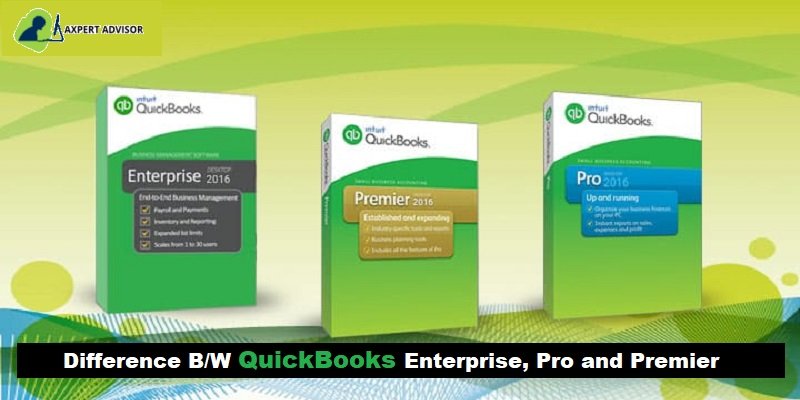
Learn the Difference between QuickBooks Desktop versions, Pro, Premier, and Enterprise
Choosing the ideal QuickBooks Desktop version – Pro, Premier, or Enterprise – can be a critical decision for your business's financial management. Each version offers a distinct set of features and capabilities tailored to different business sizes and complexities. Making the right choice ensures you have the tools you need without overpaying for unnecessary functionalities.
This comprehensive guide provides a detailed comparison of QuickBooks Pro, Premier, and Enterprise, breaking down their key differences, user capacities, advanced features (like inventory management and reporting), and target businesses. Whether you're a small startup or a rapidly growing enterprise, understanding these distinctions is essential for making an informed decision.
Read on to uncover which QuickBooks Desktop version aligns perfectly with your specific accounting needs. If you're new to QuickBooks or require personalized guidance, our expert tech personnel are available through our support line to help you navigate your options and get set up for success.
Insight Into QuickBooks Desktop Versions: Pro, Premier, and Enterprise
Before you explore the features that you will be able to access in each of the versions, it would be sensible enough to first get a brief of what these versions are:
- QuickBooks Pro: This is the official edition of the QuickBooks desktop used mainly by small and medium-sized businesses. This one is definitely good for the ones who do not use advanced inventory features and are not much complicated to manage.
- QuickBooks Premier: This version is used for industry-specific businesses and offers features that fit a particular niche. It is an on-premise accounting solution and will definitely work well in printing checks, invoicing, tracking expenses, and also paying bills.
- QuickBooks Enterprise: This is vast and is recommended for large-scale and complex businesses. It works in handling complex business tasks, like complicated inventory and bars technology. It offers the option to exceed 30 users making it suitable for large-scale businesses, as well the medium-sized businesses.
Compare the Advanced Features of QuickBooks Desktop Enterprise with Other QuickBooks Products
| Features & Insights | Enterprise | Premier | Pro |
| Number of simultaneous users | Up to 30 | Up to 5 | Up to 5 |
| Data file size | 1 GB or more | 150-200 MB max | 150-200 MB max |
| Create & e-mail quotes | YES | YES | YES |
| Create & e-mail sales orders | YES | YES | NO |
| E-mail invoices | YES | YES | YES |
| Create & e-mail purchase orders | YES | YES | YES |
| Optimized for larger data files and network usage | YES | NO | NO |
| Print checks, pay bills, and manage expenses | YES | YES | YES |
| Track sales and customer payments | YES | YES | YES |
| Track credit cards | YES | YES | YES |
| To Track sales tax | YES | YES | YES |
| Manage payroll, payroll taxes, and direct deposits | YES | YES | YES |
| Set reminders and make to-do lists | YES | YES | YES |
| One-click business reports | 150+ industry-specific | 150+ industry-specific | 100+ |
| Import data from previous versions of QuickBooks | YES | YES | YES |
| Import data from Excel | YES | YES | YES |
| Import data from Quicken | YES | YES | YES |
| Import data from Peachtree | YES | YES | YES |
| Download bank and credit card transactions | YES | YES | YES |
| Multiple currency capabilities | YES | YES | YES |
| Create a business plan | YES | YES | NO |
| Create a budget | YES | YES | YES |
| Forecast sales and expenses | YES | YES | NO |
| Customize invoices as well as other forms | YES | YES | YES |
| Create industry-specific reports | YES | YES | NO |
| Track inventory set reorder points | YES | YES | YES |
| Generate inventory assemblies and bills of items | YES | YES | NO |
| Track inventory in multi warehouses, serial and/or lot no. tracking, barcoding | YES | NO | NO |
| Free up to 10GB secure online data backup plan | YES | NO | NO |
| Keep your office and field service techs in sync and accept mobile payments | YES | NO | NO |
QuickBooks Desktop features differ with the different versions of the software. Normally, QuickBooks Pro is more like individual-oriented accounting software, QuickBooks Enterprise caters to SMBs and accounting firms, while QB Premier serves those companies that fall in the middle range.
Even after choosing the QuickBooks version that’s appropriate for your business, there are some particular business-related tasks that need to be completed. You should find suitable add-ons for the accounting requirements to get such tasks done. You can also host QuickBooks on the cloud to optimize your process with an assortment of features, for example, automated backups, device independence, anytime anywhere access, and more.
Wrapping up..!
Also, you can make the most of QuickBooks Pro, Premier and Enterprise with brief training. In case you have any queries or you need assistance with any QuickBooks-related issue, you can call our 24x7 QuickBooks Enterprise Support line and speak to our certified experts.
Related Articles:



 +1-888-368-8874